
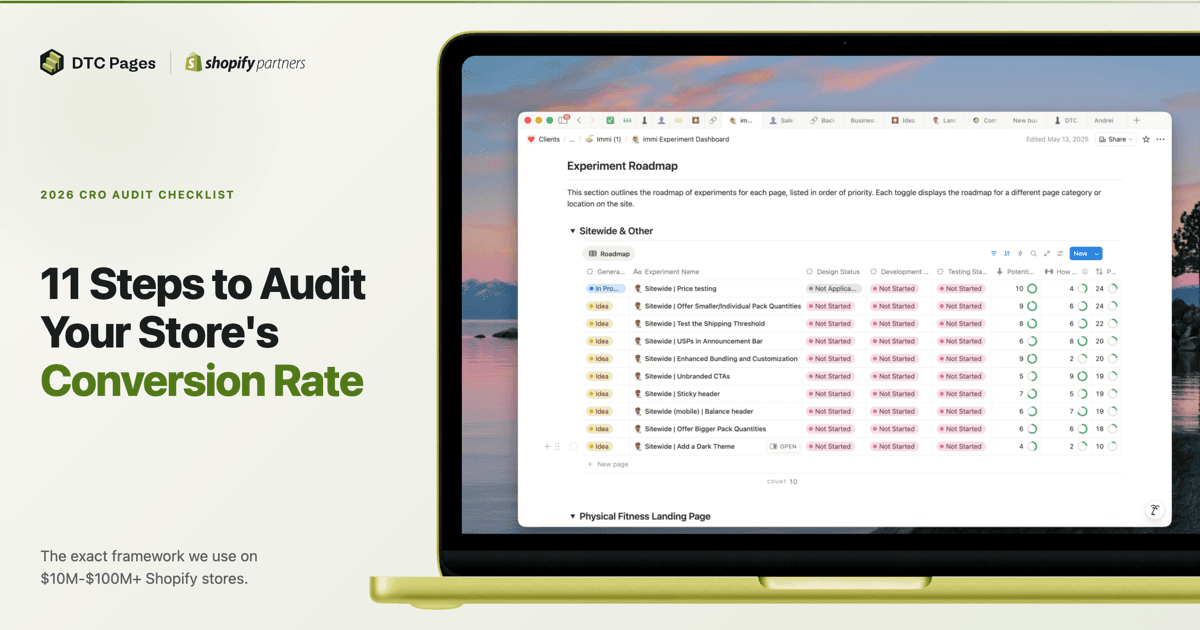
- 11-step CRO audit framework - the exact process we use on $10M-$100M+ Shopify stores
- Organized by analysis method, not by page type - analytics, heuristics (LIFT Model), review mining, customer support, heatmaps, surveys, user testing, competitor analysis, and more
- Real client examples throughout - anonymized findings from actual audits with specific results
- Copy-paste Shopify Sidekick prompts to pull your data instantly
- Our Impact-weighted prioritization formula - why we dropped the ICE framework and what we use instead
Why Most CRO Checklists Are Useless#
Most ecommerce CRO checklists online follow the same formula: "Check your hero section. Optimize your product pages. Simplify checkout." They organize advice by page type and read like a Shopify setup guide, not a real audit. They never explain HOW to evaluate what you are looking at or what data to use.
This checklist is different. It walks through the exact 11-step audit process we use on Shopify stores generating $10M-$100M+ per year - the same process we run as part of our CRO audit service. We are not holding anything back. This checklist covers all 11 analysis types we run on every full engagement, step by step, in full detail. Whether you are running your first ecommerce conversion rate optimization project or your fiftieth, this framework scales. Each step uses a different data source and analysis method. Together, they build a 360-degree view of what is killing your conversions and exactly how to fix it.
The most powerful insight from any CRO audit is not a single data point - it is when the same problem surfaces across multiple sources. When analytics shows a drop-off, heuristics explains the friction, and customer reviews confirm the objection, you have a high-confidence finding. That cross-source triangulation is what separates a real audit from a generic checklist. Each step below adds a new lens to the same store.
This is the exact process we used to help one client generate over $22M in new annual revenue. Read the full case study.
The 11 steps: analytics audit, heuristic analysis, review mining, customer support analysis, heatmap analysis, post-purchase surveys, email long survey analysis, user testing, marketing strategy alignment, competitor analysis, and synthesis into a prioritized testing roadmap.
Analytics Audit
GA4 + Shopify data: funnels, devices, landing pages
Heuristic Analysis
Expert UX walkthrough: page-by-page teardown
Review Mining
Objections, purchase drivers, and customer voice
Customer Support
Support team insights: pre-purchase questions, complaints
Heatmap Analysis
Scroll depth, click patterns, dead zones
Post-Purchase Surveys
Why they bought and what nearly stopped them
Email Long Survey
Deep customer motivations, objections, decision journey
User Testing
Watch real users navigate, react, and get stuck
Marketing Alignment
Ad-to-landing-page message match
Competitor Analysis
Pricing, offers, funnels, positioning gaps
Synthesis & Roadmap
Cross-source findings into prioritized tests
Analytics Audit
GA4 + Shopify data: funnels, devices, landing pages
Heuristic Analysis
Expert UX walkthrough: page-by-page teardown
Review Mining
Objections, purchase drivers, and customer voice
Customer Support
Support team insights: pre-purchase questions, complaints
Heatmap Analysis
Scroll depth, click patterns, dead zones
Post-Purchase Surveys
Why they bought and what nearly stopped them
Email Long Survey
Deep customer motivations, objections, decision journey
User Testing
Watch real users navigate, react, and get stuck
Marketing Alignment
Ad-to-landing-page message match
Competitor Analysis
Pricing, offers, funnels, positioning gaps
Synthesis & Roadmap
Cross-source findings into prioritized tests
Step 1: GA4 & Shopify Analytics Audit#
Understand what to optimize first.
This sounds simple, but it is the single most important question in any CRO audit. Before you open a single page of the website, you need to know which pages get the most traffic and how users actually move through your store. Why? Because a small improvement on a high-traffic page can have a massive impact on your bottom line - far more than a big improvement on a page nobody visits.
Landing Pages & Traffic Distribution#
Start here. Pull your top 20 landing pages by traffic volume. Where are users actually entering your site? If you are sending most of your paid traffic to a specific product page through Meta ads, then that product page is your highest-impact page. It is the one you should put the most resources into optimizing and the one you should audit with the most care.
A 0.5% conversion rate improvement on a page that gets 50,000 sessions per month is worth more than doubling conversions on a page that gets 500. This is not abstract math - it is the difference between optimizing what matters and wasting time on pages that will never move the needle.
When we audited a DTC ramen brand doing $2.9M in 90 days, a single landing page drove 61% of all sessions and nearly half of revenue. This immediately told us where to focus testing - any improvement on that page would move the needle more than optimizing 10 smaller pages combined.
Purchasing Funnel Mapping#
Once you know where traffic lands, map how users actually buy. This is where a lot of brands make assumptions instead of looking at the data. You need to answer:
- What is the most common purchasing funnel? Is there just one, or are there multiple?
- Are users landing on the homepage, browsing a collection, then clicking into a PDP before adding to cart?
- Or is it a direct path - PDP to cart to checkout?
- Are users going straight from PDP to checkout without ever seeing the cart?
- Do different traffic sources follow different funnels?
These are basic questions, but you would be surprised how many brands cannot answer them. Understanding the actual purchasing funnel tells you exactly which pages sit in the critical path and deserve the most attention during the rest of the audit.
Based on Q2 2026 averages across 21 Shopify stores
This is real data from 21 Shopify stores we manage. The biggest drop happens before add-to-cart - 94% of visitors leave without adding a single product. That tells you exactly where to focus: your landing pages and product pages are the #1 lever. But the 51.6% checkout abandonment rate is equally telling - more than half of people who start checkout do not finish. For the full breakdown of what these numbers mean and how to act on them, see our ecommerce conversion rate benchmarks.
Audience Segmentation#
Once you understand the traffic distribution and funnels, split the data by device and user type. Mobile drives 80%+ of traffic for most DTC brands, but conversion rates on mobile are typically 40-60% lower than desktop. Our data across 21 Shopify stores shows mobile converts at 2.29% on average compared to 3.74% for desktop.
But here is the common mistake: brands see that gap and assume they need to redesign their mobile experience or replicate the desktop layout on mobile. That rarely moves the needle. The real explanation is purchase intent, not experience quality. Desktop visitors are disproportionately high-intent buyers - people who saw a product on their phone, thought about it, and later sat down at their computer specifically to purchase. Mobile traffic is where discovery happens: users scrolling Instagram, clicking TikTok ads, browsing casually. The lower mobile CVR reflects their intent, not a broken mobile experience.
Instead of chasing desktop-level CVR on mobile, focus on making sure high-intent mobile visitors can check out frictionlessly (digital wallets, fast page load) and building landing page funnels that warm up cold mobile traffic before asking for the sale. For the full breakdown of why this gap exists and what it actually means, see our conversion rate benchmarks by device.
Also compare new vs. returning user behavior. Returning visitors convert at 2-5x the rate of new visitors. If that gap is unusually wide, your site is not building enough trust or urgency on the first visit.
Acquisition Analysis#
Which traffic sources actually convert? Compare conversion rates by channel. You will often find a mismatch between your highest-traffic sources and your highest-converting ones. This data also helps you understand whether different channels need different landing experiences.
Revenue Concentration#
Check which products drive the majority of revenue. In most stores, 1-2 hero SKUs account for 50%+ of total sales. Knowing this tells you exactly where to focus your testing.
Quick Data Pulls with Shopify Sidekick#
Shopify's built-in AI assistant (the Sidekick icon in your admin) can pull sales and product data instantly. Here are copy-paste prompts to get the numbers you need for this step:
Shopify Sidekick Prompts
Copy and paste into your Shopify admin AI assistant
Sessions by Landing Page
“What are my top landing pages by sessions in the last 30 days?”
The closest proxy to per-page traffic in Shopify - shows where users enter your site
Top Products by Revenue
“What were my top 10 products by revenue in the last 90 days?”
Tells you where to focus your PDP optimization efforts
Conversion Rate
“What is my online store conversion rate for the last 30 days compared to the previous 30 days?”
Quick health check on overall store performance
Sales by Channel
“Show me a breakdown of sales by traffic source for the last 90 days”
Identifies which acquisition channels are actually driving revenue
Returning vs New Customers
“How many returning customers purchased in the last 30 days vs new customers?”
Helps gauge how well your site builds trust on first visit
AOV Trend
“What is my average order value this month compared to last month?”
A sudden AOV drop can signal offer or pricing issues
Shopify Analytics (including Sidekick) is great for quick sales, product, and order data. It can also show you sessions by landing page - how many sessions entered your site through a specific page. But here is the catch: Shopify cannot show you sessions or users per page across the whole site. You can see that 12,000 sessions landed on your homepage, but you cannot see how many total sessions viewed your PDP or collection page if they navigated there from somewhere else. For per-page session data, device-level conversion rates, and detailed funnel analysis by segment, you need GA4. Use both: Shopify Analytics for the quick commerce data, GA4 for the deep traffic and behavior analysis.
Use your sample size calculator to estimate how long tests will need to run on your highest-traffic pages.
Step 2: Heuristic Analysis#
Arguably the most valuable step in the entire audit.
A heuristic analysis is an expert walkthrough where CRO specialists evaluate your site against usability and conversion principles. Every finding needs a severity rating AND a specific recommendation - not just "this is bad" but "test this specific change."
Most CRO checklists get this wrong: they tell you to review your homepage, then product pages, then checkout - as if every store is the same. It is not. Step 1 tells you exactly where to start.
Start Where Your Traffic Is#
If most of your traffic lands on an offer landing page through Meta ads, and 85% of sessions are mobile, then start there. Load that page on your phone. Study what loads above the fold - that is the highest-impact thing you can evaluate. Then follow the actual purchasing funnel step by step, on the device your users use, in the order they experience it.
This is different for every store. The answers from Step 1 determine where you spend your time.
Why Experience Matters#
A heuristic analysis done by someone who has audited hundreds of stores will catch things a less experienced eye cannot see. Patterns in copy, layout, trust signals, pricing psychology - these skills come from thousands of hours of CRO work. AI and generic checklists can flag obvious issues, but the highest-value findings come from deep pattern recognition.
This is the starting point for every optimization project we run at DTC Pages, regardless of engagement type. Learn more about our CRO audit service.
During a heuristic review of a DTC BBQ accessories store, four issues surfaced in the first 30 seconds of loading the homepage on mobile: (1) no hero section - no CTA, no value proposition, no social proof above the fold, (2) navigation structured around brand categories instead of shopping intent, (3) product pages with no reviews, no video, no trust signals, (4) a cart drawer styled in red that clashed with the brand and was not full-screen on mobile. These were all high-confidence, low-effort fixes that could meaningfully lift conversion before the brand started spending on paid ads.
For a pet supplements brand generating 400,000 monthly sessions, the heuristic review revealed that their collection pages were generic product grids with no hero sections, no lifestyle imagery, and no trust badges. Their cart drawer was a third-party plugin with limited customization that broke the checkout flow. The roasting session produced specific redesign recommendations for every page type - custom collection experiences split by pet type (dogs vs. cats), a fully branded cart drawer built into the theme with cross-sell recommendations, and restructured PDPs with comparison tables and subscription-first positioning. These findings directly informed 50+ A/B tests over the engagement.
The Framework: The LIFT Model#
We use the LIFT Model, created by Chris Goward at Conversion.com, as the evaluation framework for every heuristic analysis. It gives you a structured lens for every page and section you review, organized around six conversion factors:
Created by Chris Goward (2009) at Conversion.com
Core
Value Proposition
The cost vs. benefit equation driving every purchase decision
Does the page match what the visitor expected?
Is the value prop and CTA immediately obvious?
Is there a reason to act now, not later?
What doubts or risks might stop them?
What pulls attention away from the goal?
For every page in the funnel, evaluate it against these six factors. The value proposition is the foundation - if visitors do not understand why they should buy, nothing else matters. Then check whether the three drivers are working (is the page relevant to how they arrived? is the CTA clear? is there urgency?) and whether the two inhibitors are under control (are there trust concerns? are there distractions pulling attention away from the goal?).
This framework turns a subjective "does this page feel right?" into a structured, repeatable process. It is the difference between catching surface-level issues and systematically identifying every conversion leak on a page.
How We Run It: The Roasting Session#
First, each team member - CRO experts, designers, developers - individually reviews every key page and funnel on the site, using the LIFT Model and the traffic data from Step 1. Then we all jump on a call for what we call a roasting session.
We share a Figma board where we pull in screenshots of every relevant page and section - top landing pages, PDPs, navigation, cart, checkout - on both mobile and desktop. Everyone comments directly on the Figma page with their findings, and we debate in real time. The collaborative format is critical: one person catches a trust signal gap, another spots a copy issue in the same section, and a third connects it to a pattern they saw on a different client. The ideas that come out of these sessions are stronger than anything any single person would produce alone.
By the end of the session, we organize everything into a structured report - grouped by page and section, following the priority order from Step 1. Every finding includes a screenshot reference, the LIFT Model factor it relates to, a severity rating, and a specific test recommendation. This document becomes the foundation of the testing roadmap in Step 11.
Want us to run this for your store?
We help 7- to 9-figure Shopify brands increase revenue through data-driven CRO. Book a free strategy call.
Step 3: Review Mining#
What your reviews are really telling you.
Most brands glance at their reviews for star ratings and maybe pull a few quotes for the homepage. A proper conversion rate optimization audit goes much deeper. Review mining is how we extract actionable CRO insights from the words your customers already wrote for you.
How to Mine Reviews#
Scrape ALL reviews from your review platform - Judge.me, Okendo, Yotpo, whatever you use. Not a sample, every single one. And here is a rookie mistake we see constantly: only analyzing positive reviews. Negative reviews are where the most valuable conversion insights live. A 3-star review that says "love the product but the checkout was confusing" is worth more than ten 5-star reviews that say "great quality."
The more reviews you can analyze, the better. Categorize every review by theme and quantify how often each theme appears. For our full step-by-step process, read our review mining guide.
Review mining surfaces three types of insights, and each one feeds directly into your optimization strategy:
Objections#
Customers often reveal what almost stopped them from buying - even in positive reviews. Look for phrases like "I was worried about..." or "I almost didn't buy because..." These are your highest-priority CRO fixes because they represent real friction that real people experienced.
When we mined reviews for a DTC art print brand, we found 9 distinct objections customers had before purchasing: "Will the colors look dull compared to my screen?" "Is the standard framing just cheap plastic?" "Will the glass shatter during shipping?" "Is it worth the price?" Every one of these became a test hypothesis - adding an FAQ addressing the top objections, featuring quality-focused reviews near the fold, and adding a packaging safety guarantee.
These objections are invisible in analytics. You will never see "worried about shipping damage" in a GA4 funnel report. But when dozens of customers mention the same concern, you know exactly what trust barriers to address on your product pages.
Purchase Drivers#
The flip side of objections: what convinced people to buy? When you quantify purchase drivers across hundreds of reviews, you discover which value propositions actually matter to customers - and they are often different from what the brand assumes.
We scraped 45,000+ reviews for a DTC accessories brand and found that 47% mentioned gifting. The brand positioned itself as a travel brand, but customers were buying it as gifts. This single insight reshaped the entire homepage - gift-specific CTAs, messaging, and packaging upsells moved front and center.
Gifting
Quality
Home Decor
Unique Design
Fast Delivery
Price / Value
Percentages exceed 100% because many reviews mention multiple themes
Customer Voice#
Learning the exact words and phrases customers use allows you to replicate their language across every marketing channel. This increases resonance and emotional connection because you are speaking the way your buyers actually think - not the way your marketing team assumes they think.
The learnings from review mining should be shared across every marketing channel, not just your website. If customers use different language than your brand, match them. For example, a supplement brand selling a product for erectile dysfunction might market it as "male performance support" on their site - but if reviews consistently say "this helped with my ED" or "finally something that works for bedroom confidence," those are the phrases that should appear in your ad copy, email campaigns, landing pages, and product descriptions. Your customers are telling you how to sell to more people like them.
For our full process on extracting these insights, read our review mining guide.
Step 4: Customer Support Analysis#
Your support team knows more than your data does.
Your customer support team sits at the intersection of every friction point in your business. They hear the questions that almost stop a purchase, the complaints that drive returns, and the confusion that creates tickets instead of conversions. This data is sitting in your help desk right now - and it is one of the fastest paths to low-hanging-fruit CRO wins.
What We Collect#
We send a structured questionnaire to your customer support team (or whoever handles customer inquiries) with targeted questions designed to surface conversion-relevant insights:
- "What do customers complain about most?" - Reveals systematic friction points. If support hears the same complaint weekly, it is almost certainly costing you conversions from visitors who never bother to reach out.
- "Top 3 questions from potential buyers?" - These are your biggest trust gaps. If people need to contact support before they feel confident buying, your product pages are missing critical information.
- "What about the offer confuses people?" - Surfaces messaging and pricing clarity issues. Confused visitors do not buy - they leave.
- "Top 3 complaints after purchase?" - Post-purchase complaints reveal expectation gaps between what the site promises and what the product delivers. These gaps also suppress repeat purchases and generate negative reviews.
- "How are these common questions answered?" - Shows you whether those answers could be proactively surfaced on the site to prevent the question from ever being asked.
Why This Step Is a Goldmine for Quick Wins#
Most audit steps require weeks of data collection. This one takes a single questionnaire and a 15-minute conversation with the support team. The insights are immediately actionable because they point to specific, concrete problems with specific, concrete fixes.
For a DTC supplement brand, the #1 pre-purchase support question was "Can I take this with my existing medication?" The product page had zero mention of drug interactions or a safety disclaimer. Adding a "Safe to combine with other supplements" trust badge and an FAQ section addressing medication concerns became a quick-win test that directly addressed the most common purchase hesitation.
A premium sneaker brand's support team reported that customers were consistently confused about the difference between the standard and orthopedic versions of the same shoe - and why the orthopedic cost $20 more. User testing later confirmed the same issue: 3 out of 5 testers did not understand what "Orthopedic" meant. The fix was a one-line explanation below the variant selector. This insight was invisible in analytics but obvious to anyone answering support tickets daily.
Step 5: Heatmap & Scrollmap Analysis#
Where attention actually goes.
Analytics tells you what happened. Heatmaps tell you why. Install heatmap tracking on your highest-traffic pages and collect at least 2 weeks of data before drawing conclusions.
Scroll Depth#
Check scroll depth on every key page. What percentage of users see the add-to-cart button? The reviews section? The comparison table?
On a DTC air purifier's product page, only 61% of mobile users scrolled far enough to see the add-to-cart button. Nearly 4 in 10 visitors never even saw the option to buy. The fix: test a sticky add-to-cart bar on mobile so the CTA is always visible regardless of scroll position.
On the same product page, the competitor comparison table - buried near the bottom - had the highest interaction rate of any content section. The users who reached it were clearly high-intent buyers doing their research. Moving it higher in the page became a top-priority test.
Click & Tap Patterns#
Map the most-clicked elements on each page. Look for dead clicks on non-clickable elements (a sign users expect interactivity where there is none) and identify dead zones - sections with zero interaction that are candidates for removal or repositioning.
The most-clicked element on one client's PDP was not the ATC button - it was the hamburger menu, followed by "Shop Air." Users were trying to explore other products from the PDP, signaling a need for better cross-selling directly on the page.
The Scroll Depth Trap#
A common mistake: seeing that only 30% of users scroll to a section and concluding it is not worth optimizing. This is partly true, but it misses something critical. The users who scroll that far are the ones with the highest purchase intent. They are actively researching, comparing, and looking for reasons to buy. Optimizing those lower sections can be the difference between getting the purchase or losing it.
When running A/B tests on sections lower on the page, always set a scroll depth event so you can filter out users who never saw the change. If you do not do this, your test results will be diluted by thousands of sessions that bounced before reaching the section - adding noise and making it nearly impossible to reach statistical significance on a real improvement.
Mobile-First Analysis#
Since 80%+ of DTC traffic comes from mobile, always analyze mobile heatmaps separately from desktop. Behaviors differ dramatically. Thumb zones, scroll patterns, and tap targets all change on smaller screens.
Want us to run this for your store?
We help 7- to 9-figure Shopify brands increase revenue through data-driven CRO. Book a free strategy call.
Step 6: Post-Purchase Survey Analysis#
Ask the people who already bought.
Post-purchase surveys capture data that analytics tools cannot. The key is asking the right questions and knowing how to interpret the responses at scale.
The Four Questions That Matter#
- "How did you hear about us?" - Validates acquisition channels. This often differs significantly from GA4 attribution. If 40% of survey respondents say "TikTok" but GA4 credits 5% to TikTok, your attribution model is off.
- "What made you start thinking about a product like this?" - Reveals real purchase triggers that should inform your homepage and ad messaging.
- "What convinced you to order today?" - Identifies the tipping-point factors. These are the elements to amplify across the site.
- "What nearly stopped you from ordering?" - THE most valuable question in any ecommerce CRO audit. These are active conversion killers.
Real Examples#
A DTC food brand's survey revealed price was the #1 near-abandonment factor, but #2 was surprising: customers could not customize their variety pack. The fix was not a price reduction - it was a "Build Your Own Bundle" option that significantly increased AOV.
Multiple buyers of another brand said the founder's story in the ads convinced them to order. But the website had zero founder story content. Adding a brand story section to the homepage became a high-priority test - and it became one of the highest-performing tests of the quarter.
Step 7: Email Long Survey Analysis#
What your customers will tell you if you just ask.
Post-purchase surveys capture quick reactions at the moment of buying. But there is an entire layer of insight you can only access by going deeper - sending a dedicated long-form survey via email to customers who have had time to use the product and form real opinions.
Why a Separate Email Survey?#
Post-purchase surveys on the thank-you page are limited by timing and length. Customers are mid-checkout, so you get short answers to 3-4 questions. An email long survey targets customers who purchased 30-90 days ago, giving them enough distance to reflect on their full experience - from discovery to unboxing to daily use. The trade-off is length: these surveys run 10-15 questions and take 5-10 minutes to complete, which is why you need to offer an incentive (a discount code or gift card) to hit the ~200 responses needed for meaningful analysis.
What to Ask#
The questions go far beyond "how did you hear about us." A proper email survey maps the entire customer decision journey:
- "Tell us about yourself" - Demographics, lifestyle, and interests. This builds customer personas that inform copy and creative direction across the site.
- "What main problem were you looking to solve?" - Reveals the real purchase triggers. These should be reflected in your homepage hero, ad messaging, and product page headlines.
- "What do you like most about your purchase?" - Identifies the value props customers actually care about, which often differ from what the brand assumes.
- "What do you like least?" - Surfaces product or experience issues that may be silently killing repeat purchases.
- "What is the one thing you needed to know before feeling confident buying?" - This is gold for CRO. The answers tell you exactly what trust barriers your product pages need to overcome.
- "What made you buy from us instead of a competitor?" - Reveals your real competitive advantages - the ones customers see, not the ones you market.
- "What can we do to improve your overall experience?" - Open-ended suggestions that frequently generate test ideas you would never come up with internally.
How to Run It#
Build the survey in Typeform (or a similar tool) and coordinate with the brand's email team or agency to send it. Target customers who purchased in the last 90 days but exclude anyone who bought in the last 7 days - you want people who have had time to use the product. Always include an incentive: a 10-15% discount code or a gift card entry works well. You need a minimum of 200 responses for the data to be statistically meaningful.
When we surveyed 287 customers for a DTC jewelry brand, 87% cited pricing transparency as their #1 purchase motivator - not design, not quality, not brand values. The website led with aesthetics. This single insight reshaped the entire homepage messaging strategy, moving the price transparency model front and center. That disconnect between what the brand thought mattered and what customers said mattered would have been invisible without a dedicated long-form survey.
For a supplement brand, the email survey revealed that the #1 near-purchase objection was not price or skepticism about efficacy - it was confusion about a recent formula change. 15% of respondents mentioned the capsule count decreased without explanation. The fix was straightforward: add a "New & Improved Formula" comparison section to the PDP explaining exactly what changed and why. This finding never appeared in post-purchase surveys because those customers had already committed to buying despite the concern.
Want us to run this for your store?
We help 7- to 9-figure Shopify brands increase revenue through data-driven CRO. Book a free strategy call.
Step 8: User Testing Analysis#
Watch real people use your site.
Analytics tells you where users drop off. Heatmaps show you where they click. But neither tells you WHY. User testing puts real people in front of your site with a set of tasks and records everything - their clicks, their hesitations, their frustrations, and their exact words as they navigate. It is the closest thing to watching a customer shop in your store.
How We Run User Tests#
We use unmoderated remote testing platforms like UserBrain to recruit 5 first-time visitors who match your target demographic. Each tester receives a scripted protocol that simulates a new customer's journey: browse the site, evaluate the product pages, add something to the cart, and proceed through checkout. They think aloud the entire time, narrating what they see, what confuses them, and what almost makes them leave.
The tests are unmoderated - no facilitator guides the conversation - which means you get unfiltered, honest reactions. Users say things like "this feels scammy" or "I don't understand what this product does" in ways they never would in a moderated setting.
What User Testing Reveals#
User testing consistently surfaces problems that no other data source can catch:
- First impressions and trust signals - Do users immediately understand what you sell and why it matters? Or do they spend the first 30 seconds confused by a pop-up they cannot close?
- Navigation and product discovery - Can users find what they want in under two taps? Or do they scroll past the product they are looking for because the menu structure is unintuitive?
- Purchase flow friction - Does clicking "Add to Cart" open a cart drawer, or does it redirect to checkout and frustrate users who wanted to keep browsing?
- Price perception - Do users think the product is worth the price? If not, what specific information would change their mind?
- Content clarity - Do users understand product descriptions, comparison charts, and ingredient lists? Or do they skim past them because the copy is too dense?
When we tested a DTC ramen brand's site, 3 out of 5 users said the product was too expensive and questioned whether it was worth the cost. One user opened the FAQ section, found the answer "We think so!" to the question "Is it worth the price?" - and laughed. That single observation told us the FAQ copy was actively undermining trust instead of building it. The fix: replace the dismissive answer with a genuine value breakdown comparing cost per meal to restaurant alternatives.
On the same site, 2 out of 5 testers were frustrated that clicking "Add to Cart" redirected them straight to checkout instead of opening a cart drawer. One user said: "You have to click order now, which takes you directly to the checkout page, and then you have to exit to continue purchasing items - I personally would not follow through with that." This insight was invisible in analytics (it just showed cart abandonment) but the user testing revealed the exact cause.
The Protocol#
A well-designed user testing protocol walks testers through four stages:
- Browse and evaluate - "Take your time browsing this page. Does it give you all the details you need to make a purchase decision?"
- Add to cart - "Try adding a product to the cart. Describe your experience."
- Checkout flow - "Proceed to the checkout. Share your thoughts on each step."
- Final impressions - "Share any final thoughts or suggestions about your overall experience."
The key is asking testers to think aloud continuously. The gold is not in their answers to your questions - it is in the unprompted reactions they have while navigating. A tester muttering "where is the price?" or "this looks fake" is more valuable than any survey response.
Step 9: Marketing Strategy Analysis#
Is your site delivering on your ad's promise?
The gap between what your ads promise and what your landing pages deliver is one of the most common (and most expensive) sources of lost conversions. This step connects your marketing spend to your on-site experience.
Ad-to-Page Message Match#
Pull your top-performing ad creatives from Meta Ads Library. Then open the landing pages where that paid traffic actually lands. Do the landing pages reinforce the same messaging, imagery, and tone? If an ad leads with social proof and customer testimonials, does the landing page show those same trust signals above the fold?
A premium sneaker brand spending $600K-$1.5M/month on Meta ads sent all traffic to collection pages that converted at just 1.28% ATC rate. The ads featured verified buyer testimonials and comfort messaging, but collection pages did not reinforce either above the fold. Fixing this ad-to-page mismatch became the #1 CRO opportunity.
Promotional Strategy#
Audit your discounting patterns. Are you training customers to wait for sales? Is the free shipping threshold aligned with your hero product price point? If your best seller is $38 and free shipping starts at $75, you are either leaving money on the table or creating friction at checkout.
We often find that brands are training customers to wait for sales by running discounts too frequently. If you run a sale every month, your full-price conversion rate will steadily decline as repeat visitors learn to wait. Check your promotional calendar for the past 6 months - if you ran more than 4 sales, your non-sale conversion rate is almost certainly being cannibalized.
Channel Performance Gaps#
Compare conversion rates by traffic source. If organic converts at 3.2% but paid social converts at 0.8%, the problem is not necessarily the traffic - it is probably the landing experience for that specific channel.
Step 10: Competitor Analysis#
What are you missing?
Your customers are comparing you to alternatives before they buy. A proper shopify CRO audit should include a systematic comparison against your top 3-5 competitors.
Offer & Pricing Comparison#
Map out competitor pricing, subscription discounts, bundles, guarantees, and shipping policies side by side.
When we compared a supplement brand to three competitors, every competitor offered 20-50% subscription discounts and free shipping on first orders. Our client had neither. The audit did not just reveal the gap - it gave us specific tests: tiered subscription pricing and a free shipping threshold adjustment.
Above-the-Fold Comparison#
Screenshot your homepage and your top 3 competitors on mobile. Place them side by side. What do they communicate in the first viewport that you do not? What trust signals are they showing that you are missing?
When we screenshotted a pet supplement brand's mobile homepage next to their top 3 competitors, the gap was obvious. Every competitor had a benefit-driven headline, star ratings, and trust badges above the fold. Our client's homepage led with a generic lifestyle image and no CTA in the first viewport. The competitor comparison gave us a clear checklist of what to add - and the homepage redesign became the first test in the roadmap.
Purchase Funnel Comparison#
Buy from your competitors. Map their entire checkout flow from ad click to confirmation email. Note every upsell, cross-sell, post-purchase offer, and email they send. You will almost always find ideas you can test on your own store.
Messaging Gaps#
Look for positioning angles that no competitor is using. If everyone in your category leads with price, there may be an opportunity to lead with quality, sustainability, or a unique use case.
When we audited a supplement brand, every competitor in the space led with ingredient lists and clinical studies. None of them addressed the most common customer objection we found in review mining: taste. The client tested a "tastes great" angle that no competitor was using, and it outperformed the clinical messaging by 34%. The gap was invisible until we mapped what competitors were saying against what customers actually cared about.
Step 11: Turning Findings Into a Testing Roadmap#
You have findings from 10 different analyses. Now what?
This is where most audits fall apart. Teams collect dozens of findings, get overwhelmed, and either try to fix everything at once or pick changes based on gut feel. A proper ecommerce CRO audit needs a structured prioritization process.
Cross-Source Validation#
The most important concept in audit synthesis is triangulation. A problem that appears in analytics (high drop-off), heuristics (confusing layout), AND customer voice ("I almost didn't buy because...") is far higher priority than something found in a single source.
For one client, the same insight appeared across three data sources: analytics showed a 29% cart-to-checkout drop-off, heatmaps showed users were not seeing shipping info, and post-purchase surveys revealed shipping cost was the #1 near-abandonment factor. The fix was clear: surface shipping info directly in the cart drawer. This was not one data point - it was a triangulated, high-confidence finding.
Prioritization Framework: Why We Dropped ICE#
Most CRO agencies use the ICE framework - Impact, Confidence, Ease - to score and rank test ideas. We used it too, until we realized the "Confidence" factor was not adding value. Here is why.
When you score Impact correctly, confidence is already baked in. A finding that showed up in analytics, heatmaps, AND customer reviews is high-impact precisely because you have high confidence it is a real problem. Scoring confidence separately just double-counts the same signal. It also creates a false sense of precision - the difference between a "7" and an "8" confidence score is subjective and adds noise, not clarity.
So we simplified. Our framework uses two factors with impact weighted 2x:
| Factor | Question | Scale | Weight |
|---|---|---|---|
| Impact | How much will this move conversions on a high-traffic page? | 1-10 | 2x |
| Ease | How quickly can we design, build, and launch this test? | 1-10 | 1x |
Priority Score = (Impact x 2) + Ease
When scoring impact, go back to Step 1. A brilliant optimization on a page that gets 500 sessions per month is low impact, period. Impact must account for the traffic volume of the page you are changing - a modest improvement on a page with 100,000 sessions will always beat a dramatic improvement on a page nobody visits.
A finding with Impact 9 and Ease 4 scores 22. A finding with Impact 5 and Ease 9 scores 19. The first one wins - and that is the point. We would rather test something hard that could transform a page than something easy that will barely move the needle. Impact comes first, always.
This also means the roadmap naturally front-loads the highest-impact ideas. Easy wins still bubble up (a finding with Impact 8 and Ease 8 scores 24), but you never end up in a situation where you waste a month on low-impact quick fixes while the big opportunities sit untouched.
Score = (Impact x 2) + Ease. Sorted by priority. These are real experiments we ran.
Based on 50+ experiments for a pet wellness brand with 400K monthly sessions
Not every optimization needs to be an A/B test. If the risk is low and the upside is obvious - fixing a broken link, adding missing shipping info, correcting a misleading price display - just ship it. A/B testing exists for changes where the outcome is uncertain or where a wrong move could hurt performance. Experienced CRO teams know the difference instinctively: test layout changes, pricing experiments, and messaging angles. Deploy bug fixes, missing trust signals, and clear UX improvements directly.
When to DIY vs. Hire a CRO Agency#
We tried to make this guide as detailed as possible so anyone can give it a try. This is our exact framework - we are not holding anything back. But the reality is that experience plays a massive role in how much value you extract from each step.
Our senior specialists run these audits monthly. They carry the context of thousands of A/B tests they have run across hundreds of stores - they know what is working and what is not in specific niches because they see the data every day. When they look at a product page, they are not guessing what might improve conversions. They are pattern-matching against hundreds of similar pages they have already optimized.
That context is the difference between a roadmap full of generic "add trust signals" recommendations and one that says "move the subscription toggle above the price, add a per-unit breakdown, and test a 3-pack as the default selection" - because that exact change drove +40% add-to-cart rate for a similar brand last quarter.
Beyond expertise, this process is lengthy and resource-consuming. Running all 11 steps properly takes weeks of focused work. We have it dialed in - our team runs this process constantly, so we produce high-value roadmaps efficiently. An inexperienced team running their first audit will spend significantly more time and likely miss the highest-impact findings because they do not have the pattern recognition to know where to look.
If you want our team to run this process on your store, book a free strategy call. Or learn more about how our CRO audit service works.
Frequently Asked Questions#
What is a CRO audit?#
A CRO audit is a systematic analysis of your ecommerce store that identifies conversion barriers using multiple data sources - analytics, heatmaps, customer reviews, surveys, and expert evaluation. The goal is to produce a prioritized roadmap of optimization opportunities ranked by expected revenue impact - some as A/B tests, others as direct implementations when the risk is low and the upside is clear.
How long does a CRO audit take?#
A thorough ecommerce CRO audit covering all 11 analysis types typically takes 4-5 weeks including the roadmap. Analytics, heuristic analysis, and review mining can all be completed in the first week or two. What takes longer is the email long survey and post-purchase survey - if these were not already set up, you need time to collect enough responses before the data is meaningful. Synthesis into a prioritized roadmap takes an additional 3-5 days.
How much does a CRO audit cost?#
DIY audits cost only tool subscriptions - GA4 and Microsoft Clarity are free, and survey tools like Fairing start around $100/month. Professional audits from agencies typically range from $3,000 to $15,000 depending on scope. The ROI is usually clear within the first 2-3 A/B tests from the audit findings.
What is the difference between a CRO audit and A/B testing?#
A CRO audit identifies what to test by analyzing data across multiple sources. A/B testing validates whether a specific change actually improves conversions. The audit is the research and diagnosis phase; testing is the execution phase. Running A/B tests without an audit is like prescribing medicine without a diagnosis. Learn more about our A/B testing process.
How often should you run a CRO audit?#
A full 11-step audit should be run at least once per year - this is non-negotiable for any serious ecommerce store. Between full audits, run targeted mini-reports based on current business needs. For example, if you just launched a new subscription model and adoption is lower than expected, run a focused review mining + heuristic analysis on just the subscription flow instead of repeating the entire audit. Keep heatmaps and post-purchase surveys running continuously so you always have fresh data when these needs come up.
What tools do you need for a CRO audit?#
The essential toolkit includes GA4 for analytics, Microsoft Clarity or Hotjar for heatmaps, a review scraping method for customer voice analysis, Fairing or KnoCommerce for post-purchase surveys, and UserBrain for user testing. GA4 and Clarity are free, making a basic audit accessible to any store.
What should a CRO audit include?#
A comprehensive ecommerce CRO audit should include analytics review, heuristic analysis, review mining, customer support analysis, heatmap and scrollmap analysis, post-purchase surveys, email long surveys, user testing, marketing strategy alignment, competitor analysis, and synthesis into a prioritized testing roadmap. The most powerful insights come from findings that appear across multiple data sources.
What is the average ecommerce conversion rate?#
Based on our data from 21 Shopify stores generating $417M in combined revenue, the mean conversion rate was 2.16% and the median was 2.07% in Q2 2026. Mobile averages 2.29% vs. desktop at 3.74%, though this gap is driven by purchase intent, not experience quality. A "good" rate depends heavily on average order value - stores selling products under $60 had a median CVR of 2.42%, while stores above $200 had a median of just 0.79%.
Can I do a CRO audit myself?#
Yes - this checklist gives you the complete framework. However, experience plays a massive role in how much value you extract from each step. Experienced CRO specialists carry pattern recognition from hundreds of prior audits that dramatically increases the quality of findings and the resulting testing roadmap.
What is the biggest mistake in CRO audits?#
The biggest mistake is organizing your audit by page type (homepage, PDP, checkout) instead of by analysis method. Page-type audits produce surface-level recommendations like "add trust badges." Method-based audits triangulate findings across analytics, customer voice, and behavioral data to produce high-confidence, high-impact test hypotheses backed by multiple data sources.
Next Steps#
You now have the exact framework we use to audit 7- to 9-figure Shopify stores. But reading about an audit and running one are two different things. The difference between a good audit and a great one is the depth of analysis at each step and the experience to know which findings will actually move revenue.
When you book a strategy call, we will walk through your store live and show you the 3 biggest opportunities we see - no pitch deck, just data.
If you want us to run this process on your store, book a free strategy call. Or learn more about how our CRO audit service works and what our clients can expect.
The results speak for themselves - see how this process generated $22M in new annual revenue for Happy Mammoth.
Ready to grow your Shopify store?
We help 7- to 9-figure ecommerce brands increase revenue through A/B testing, landing pages, and conversion rate optimization. No contracts, just results.